THE LAB NOTEBOOK / Cortex Shelf
Little updates.
Big plot twists.
New tricks. Fewer hiccups. The occasional “how did we live without this?” Here’s what’s happening with Cortex Shelf.
 CORTEX LABS
FIELD NOTES
LATEST CHAPTER
v0.3.20October 13, 202623 chapters in the story so far.
More life. Fewer steps.
5 things to get excited about
More life. Fewer steps.
- A smile with something to say. Eyes and mouth react together: a hello, a laugh when you tap, a dance on play, and a celebration when a focus session ends. Turn it off in Appearance if you'd rather it stayed quiet.
- Everything going, everything in reach. Music, focus, calls and the calendar can all be live at once — switch between them with the icons under the notch and resume whatever's paused without opening the panel.
- Mac locked, music on. Artwork, track and transport controls on the Lock Screen — pause, resume or skip without unlocking. Toggle it off in Appearance.
- Stay a little longer. Pin the island open while you work, start a focus session from Home with one click, and share a file or a whole stack through the native macOS share menu (AirDrop included).
- AI is taking a break. It's out of the menus, search and shortcuts for now — your previous conversations are still stored, untouched, in case it comes back.
The notice retracts on its own
3 things to get excited about
The notice retracts on its own
- Ted's notice no longer sits on the notch until you click it — it clears itself after a few seconds, and holds while your pointer is over it so it never vanishes mid-read.
- The card is considerably shorter: a one- or two-line message no longer opens a panel with empty space below it.
- The mascot is smaller too, sharing the space with the text instead of taking over the card.
What's New becomes a card the mascot presents
3 things to get excited about
What's New becomes a card the mascot presents
- Each change is now a card with a heading and what it actually does for you, instead of a run of sentences.
- The companion introduces the release with a line of its own, rather than the screen being plain text.
- Only the What's New screen changed — the island, Ted's notices and the idle cost are exactly as they were.
The Ted channel recovers on its own
3 things to get excited about
The Ted channel recovers on its own
- If Cortex Shelf couldn't open its listener at launch — a previous instance still shutting down, or leftovers from a forced quit — it gave up and stayed deaf for the whole session, without saying so. Ted's notices simply never arrived.
- It now retries: three short attempts right after, and then whenever Ted launches or the Mac wakes.
- Nothing watches the socket in the background, so the island still costs nothing while idle.
Ted shows up in person
5 things to get excited about
Ted shows up in person
- Ted's notice is now a card below the notch: the mascot presents the message, with title and body in plain sight — no hovering needed to read it.
- The action and the dismiss button stay visible, and long messages scroll inside the card instead of being cut off.
- The mascot waves when you arrive, dances along with your music, and giggles when you pet it.
- With the screen locked the card folds away and only the mascot remains — the content never shows to whoever is looking.
- The island still animates nothing while it sits idle.
Ted's notices actually arrive
3 things to get excited about
Ted's notices actually arrive
- Between two release builds nothing Ted announced reached the island — it worked in development, which is exactly why it went unnoticed.
- The island verifies the code signature of whoever is speaking before showing anything, and that question reached the kernel after the sender had already closed and exited. A correctly-signed sender was refused every time.
- The sender now holds the connection open until it has been identified. Requires Ted Agent 0.10.1 or later.
Ted speaks through the island
5 things to get excited about
Ted speaks through the island
- When Ted has something that matters, the island reacts: the sparkle pulses, the rim blooms in his colour, and the subject stays in the pill until you look.
- Hover to act without opening anything; a counter shows how many notices are waiting behind the current one.
- The connection is local and verified — Cortex Shelf checks the code signature of the app speaking before showing anything. No network, no account.
- With the screen locked the subject disappears and only the fact remains: your inbox never shows up in the notch.
- Turn it off in Settings → Privacy. Requires Ted Agent 0.9.7 or later.
One click, not two
4 things to get excited about
One click, not two
- The island opens on the first click. Until now, if you were working in another app, the first click was swallowed and only the second one opened the panel.
- The pill's controls behave the same way — mute, “Join” and the music controls respond right away, with no need to focus Cortex Shelf first.
- It's how a layer living in the notch should have behaved all along, like the menu bar.
- Still 100% local: no account, no telemetry, no server.
Shelf meets Ted
3 things to get excited about
Shelf meets Ted
- An optional local connection with Ted: the apps recognize each other when both are open. Requires Ted 0.9.5 or a later compatible version.
- The connection follows app launches and exits without continuous background checks. Each app continues to work on its own.
- This release establishes the foundation for integration. Ted alerts in the Shelf island will come in a later update.
A designed install window
4 things to get excited about
A designed install window
- The DMG install window is now drawn: grid paper in the app's colour, an arrow pointing to your Applications folder, and the version in a title block — the first thing you see when you download from the site.
- Carries the new app icon from 0.3.10, which shipped without release notes of its own.
- No source changes since 0.3.10: the app itself behaves exactly as before.
- Still 100% local: no account, no telemetry, no server.
A new face for Shelf
2 things to get excited about
A new face for Shelf
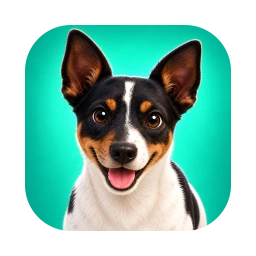
- Meet the new Shelf app icon, featuring a happy new friend.
- Everything inside Shelf stays the same.
A livelier Cortex Shelf
4 things to get excited about
A livelier Cortex Shelf
- Home and onboarding gain a more expressive identity, with companions that react to your cursor and actions.
- Settings, Shelf, Clipboard, Notes, and Screenshots have clearer layouts, more room, and friendlier empty states.
- Search, AI, Music, Focus, and Ports respond to interactions with subtle motion and useful feedback.
- Animations respect Reduce Motion, and important text and controls stay steady while you work.
Fixes the app quitting on its own
5 things to get excited about
Fixes the app quitting on its own
- Fixed the app's worst bug: it would quit by itself and then refuse to reopen. An in-progress calendar event — or any all-day event — trapped the agenda in a loop until it ran out of stack memory.
- Because the app reads your calendar on launch, the crash repeated on every attempt for as long as the event lasted, which is why it felt permanently dead.
- The countdown now only considers events that haven't started yet; in-progress events still appear in the day's list.
- Present since the first public release (0.1.0). If your Shelf ever closed on its own, this was it.
- Still 100% local: no account, no telemetry, no server.
Urgent fix for the call hang
5 things to get excited about
Urgent fix for the call hang
- If you installed 0.3.6, please update. On some calls the new microphone/camera indicator could hang the app and consume memory without stopping.
- System camera events are now coalesced, listeners are only rebuilt when the device set actually changes, and a circuit breaker drops camera watching rather than fighting the system.
- “Show microphone and camera on the island” (Settings → Privacy) now really stops the watchers, not just the pill — and ⌥⇧M keeps muting even with it off.
- Switching microphones mid-session (connecting AirPods, say) is detected again.
- Still 100% local: no account, no telemetry, no server.
You're live — mic and camera on the notch
5 things to get excited about
You're live — mic and camera on the notch
- The island shows when your microphone is open and names the app that's listening — Zoom, Meet, Chrome. No new permission: Cortex Shelf reads device state, never your audio.
- ⌥⇧M mutes and unmutes your microphone system-wide, without hunting for the meeting window. Hover the pill to mute in one click.
- The camera icon opens the mirror, so you can see exactly what it's sending.
- Event-driven throughout — nothing polls, and cold start is unchanged. Turn the indicator off in Settings → Privacy.
- Still 100% local: no account, no telemetry, no server.
Annotate, colorful now-playing, quick capture, trust cycle
5 things to get excited about
Annotate, colorful now-playing, quick capture, trust cycle
- Annotate screenshots — arrow, box, highlight, blur and text right on the image, in the Screenshots section, then save or copy.
- The island takes the music's color: the rim and the track bar pull the palette from the playing album art.
- Quick capture shortcuts — ⌥⇧N turns your selection into a new note; ⌥⇧S sends it to the Shelf, no window needed.
- Trust cycle — passphrase-encrypted backup & restore, a panic shortcut (⌥⇧Esc), and "erase everything on this Mac" in Settings → Privacy.
- Still 100% local: no account, no telemetry, no server.
Join the meeting from the notch
3 things to get excited about
Join the meeting from the notch
- When your next event has a Zoom, Meet, Teams or Webex link, the collapsed pill shows a Join button — one tap opens the call. The Agenda column gets the same shortcut.
- Settings polish: the toggle switches now all line up in the same column on the right.
- Still 100% local: no account, no telemetry, no server.
Notes, redesigned
2 things to get excited about
Notes, redesigned
- The Notes window is now a two-column layout — note list on the left, editor on the right — cleaner and easier to navigate, in the Cortex family's look.
- You can now give a note a title in its own field at the top of the editor.
Calendar permission fix (distributed builds)
1 thing to get excited about
Calendar permission fix (distributed builds)
- Fix: on signed & notarized builds, the Calendar permission prompt in onboarding now appears as it should — adds the matching Hardened Runtime resource-access entitlement alongside the Info.plist usage key.
Calendar permission fix
1 thing to get excited about
Calendar permission fix
- Fix: on macOS 14+, tapping Allow for Calendar during onboarding did nothing — the system prompt now appears as it should (EventKit full-access needs the newer Info.plist usage key).
Deeper, keyboard-first, bilingual
8 things to get excited about
Deeper, keyboard-first, bilingual
- Universal search across Clipboard, Notes, Shelf and Screenshots at once — including text inside images (OCR) — with per-result actions and full keyboard navigation.
- A real AI assistant: multi-turn memory, a global ⌥⇧A shortcut that grabs the selection from any app, and stop/regenerate — every send still gated by the review sheet.
- Focus that finishes: a Pomodoro with phased cycles, daily stats, an end-of-phase cue, and a "do not disturb" that quiets the island.
- Supercharged clipboard: local transforms (JSON pretty, base64, slugify), named encrypted snippets, and a paste-in-sequence queue on ⌥⇧V.
- Shelf and Notes grow up: named stacks with retention on the Shelf; markdown, checklists and [[…]] backlinks in Notes.
- Automation: a cortexshelf:// URL scheme drives the app from Shortcuts, Spotlight and the command line.
- Real English: the app now speaks Portuguese or English to match your Mac's language preference.
- Still 100% local: no account, no telemetry, no server.
Private, fast, honest
6 things to get excited about
Private, fast, honest
- Encrypted clipboard at rest: your clips and images are sealed with AES-GCM, keyed in the Keychain — your most-copied secrets no longer sit in plaintext.
- You approve every AI send: before any prompt leaves for your local CLI, a review sheet shows the exact text with sensitive spans (emails, API keys, JWTs, secrets) auto-masked, and an encrypted egress ledger records what left.
- Trust Center onboarding that names and justifies each permission before asking — nothing fires implicitly anymore.
- Ports → dev servers: the Ports section labels what's actually running (Vite, Next.js, Postgres, Redis…), opens web servers in your browser, and escalates from a graceful stop to a force-kill.
- Redesigned Settings with a proper sidebar, a local crash reporter you can copy to support, an honest "music unavailable" state, accessibility (Reduce Motion, VoiceOver), and a lighter, faster launch.
- Still 100% local: no account, no telemetry, no server.
Hello, Cortex Shelf
6 things to get excited about
Hello, Cortex Shelf
- A productivity layer that lives in the Mac notch — no Dock icon, no window, no login. Collapsed it's a static black layer indistinguishable from the notch itself; the interface only renders while you interact.
- Ten sections one hover away: Shelf for parking files, a searchable smart Clipboard, quick Notes, Screenshots with on-device OCR, Music with now-playing controls, a Pomodoro Focus timer, today's Agenda, an open-ports killer, camera Mirror, and a universal Search.
- Live notch states: now-playing, a focus countdown, a "next meeting in 12 min" glance, and quick toasts when you copy or drop a file.
- Command-palette search — fuzzy, ranked, keyboard-first, opened from anywhere with ⌥Space.
- Real locked notes: AES-GCM encryption with the key in your Keychain, unlocked by Touch ID — never plaintext on disk, never in search.
- Local-first and private: zero network calls, zero telemetry. AI is optional and streams through your own claude or codex CLI.
That plot twist is still a mystery.
Try a version number or a different keyword.
You’ve reached the beginning of the story.
We’re still writing the good bits.Back to the latest ↑