SUPERPOWER / 01
Obsessively lightweight
A 9 MB download that idles in tens of megabytes — where Electron-based cluster tools eat 500 MB to a full gigabyte. It stays fast on a laptop with a dozen tabs open.
THE ONE THAT SUITS YOUR CLUSTER
 Barney Kubev0.3.0
A native macOS Kubernetes client — live watch streams, real terminal, port-forward, kubectl-grade auth — in a 9 MB download.
Fresh from the lab: what’s new in v0.3.0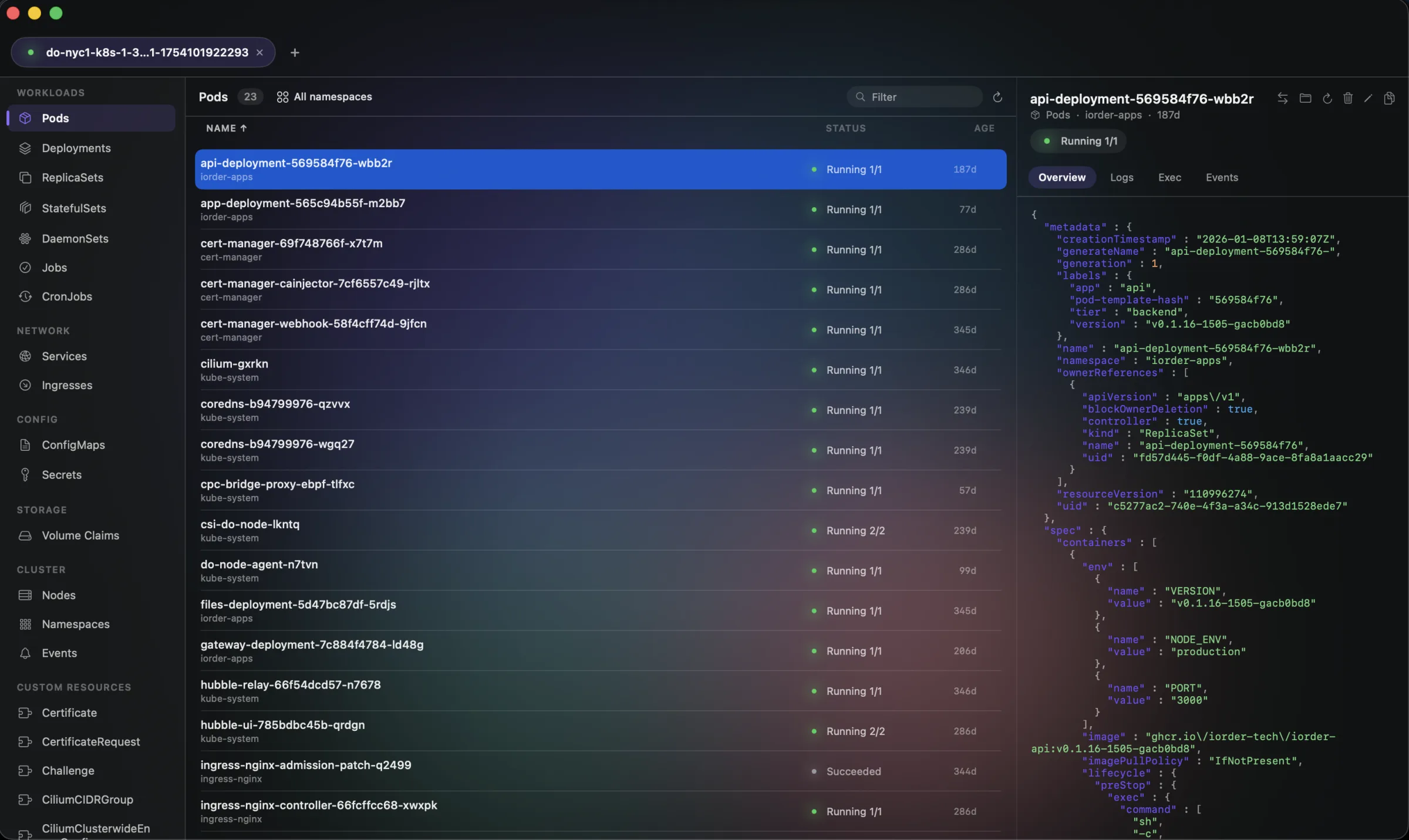
Your clusters called. They like this one.
it's going to be legen… wait for the pods… dary.
01 / MORE THAN A PRETTY ICON
13 ways to make your day easier.
Yes, we got a little carried away.
A 9 MB download that idles in tens of megabytes — where Electron-based cluster tools eat 500 MB to a full gigabyte. It stays fast on a laptop with a dozen tabs open.
Reads ~/.kube/config and authenticates like the CLI: client certs, tokens, and exec plugins for EKS, GKE, and AKS — re-authing on its own when cloud tokens expire, so long sessions never break.
Every object has a Related tab: a Deployment’s actual pods, the node a pod runs on, the Services in front of it, the ConfigMaps and Secrets it mounts, an Ingress’s backends. Kubernetes records these links from one side only — this walks the other direction, and every row is clickable.
Go on. Open one.
The Issues view lists every unhealthy pod and NotReady node across every namespace, with its reason and where it’s running. Click one to jump straight to it.
A whole workload’s pods merged into one stream, a color and a name each. The previous log of a container that restarted, labelled with the exit code that killed it. Server-side timestamps, and save to a file.
⌘K searches every kind, every namespace, all at once — no cluster open, it brings up the picker and focuses the filter instead of doing nothing.
Watch streams keep every grid current, CPU/memory columns update from metrics-server, logs follow in real time, and events feed per object or cluster-wide.
Exec into any container with a full TTY — colors, cursor apps, resize — plus attach mode and binary-safe file upload/download.
Values are hidden by default everywhere they're shown — overview, copy, edit — with an explicit Reveal you control per object.
Restart pods, scale workloads from a stepper, delete with confirmation, and edit YAML inline with kubectl-style apply — diff what changed before you commit it.
Cordon or uncordon a node, or drain it — evicting pods with a live progress sheet that keeps DaemonSets and mirror pods put and retries past PodDisruptionBudgets, exactly like kubectl drain. Cordoned nodes wear a badge.
Hover any row for a full actions menu mirroring the detail header — forward, scale, edit, restart, cordon, drain, delete — plus an explicit pod Delete that tells you whether a controller will recreate it.
Pin your favorite clusters so they float to the top, environment badges (prod/staging/hml…) on cards and tabs, provider chips, a live apiserver ping, and sortable columns by name, status, CPU, memory, or age.
A closer look at what makes Barney Kube tick.
Barney Kube is a native macOS Kubernetes client that does what Lens does in a fraction of the memory. It reads your kubeconfig and authenticates exactly like kubectl — client certs, tokens, and exec plugins for EKS, GKE, and AKS, re-authing automatically when cloud tokens age out — and talks to your clusters over a secure, verified connection. Open clusters as tabs and work with 19 resource kinds plus every CRD on the cluster: walk the graph from a Deployment to its actual pods to the node they run on, see everything unhealthy across every namespace in one list, stream a whole workload’s logs at once, open a real terminal in any container, port-forward, edit YAML and apply, restart, scale, and delete — everything updates the instant it changes on the cluster. Speaks English, Portuguese, and Spanish.
02 / LET’S MAKE THIS OFFICIAL
A few practical details.
No awkward first-date questions.
THE COMPATIBILITY CHECK
For macOS.
Made to feel right at home.
YOUR NEXT FAVORITE TOOL IS RIGHT HERE.
All that Kubernetes energy. A remarkably small download.
THERE’S MORE WHERE THAT CAME FROM

Your AI agent, living in your menu bar.

Your servers. Your cloud. Zero complexity.

Your whole restaurant. One happy place.

Kafka and RabbitMQ, from a guy who can't lie.

One beautiful client for every database.
The smart notch for macOS.
Memory that remembers what matters.